
Docs directory
Table of contents
Installation Guide for CP2102 Driver Step By Step
CP2102 is a USB to UART IC from Silicon Labs and is used in our many products, such as LR900-F/P, LR24-F/P and etc.
When using CP2102 on a PC for the first time, the driver needed to be installed.
Driver Download
Driver for CP2102 (WIN7/10/11)
Install the Driver Step By Step
Step1
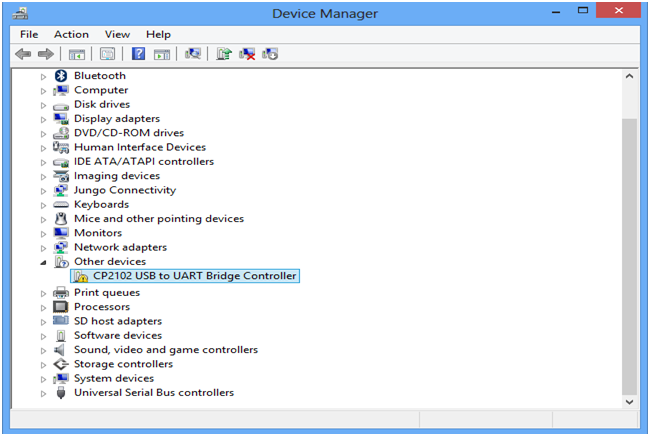
Connect the product (LR900-F/LR24-F/LR24-P and etc) to PC via USB. Open the device manager, now the device will be listed in other devices as proper drivers are not installed.
Step2
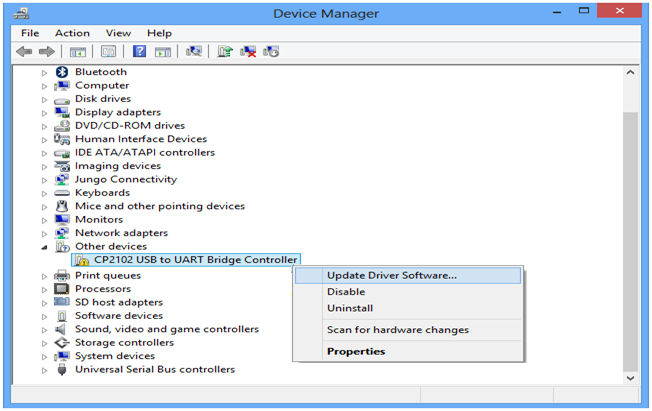
Right click on the “CP2102 Usb to UART Bridge Controller” and select “Update Driver Software” option.
Step3
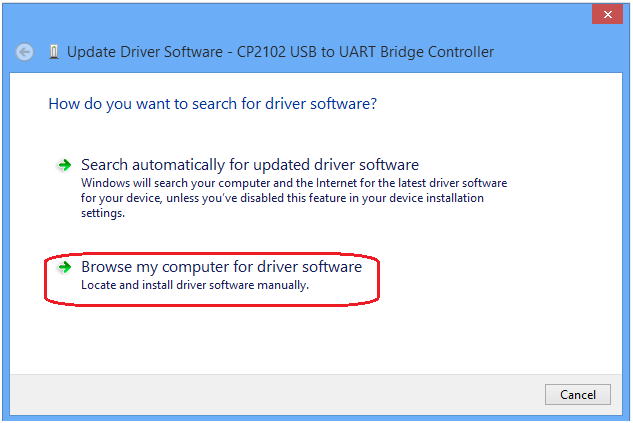
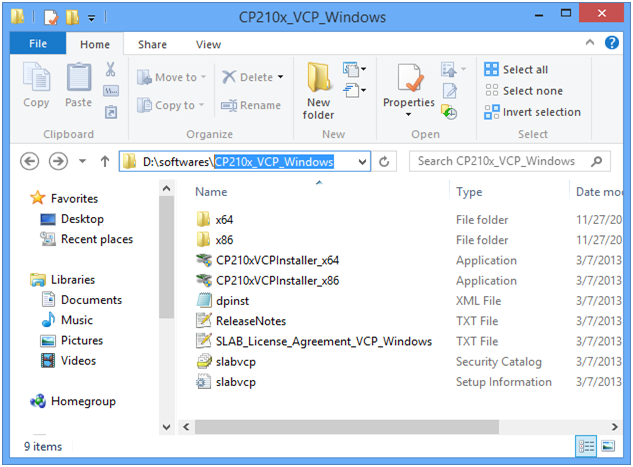
Browse and select the folder where the drivers are unzip.
Step4
Select this folder for installing the drivers.
Step5
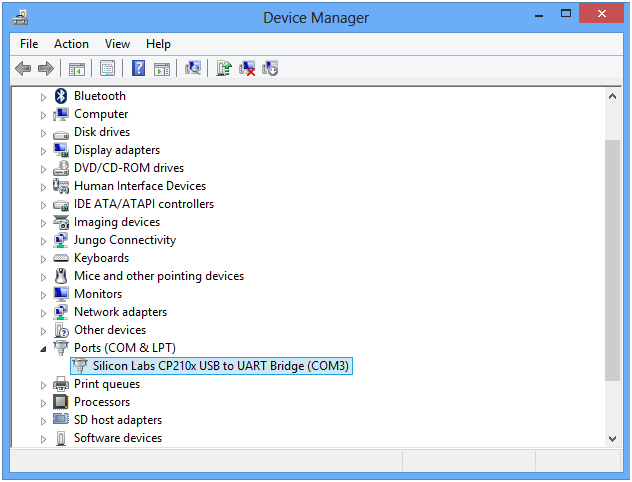
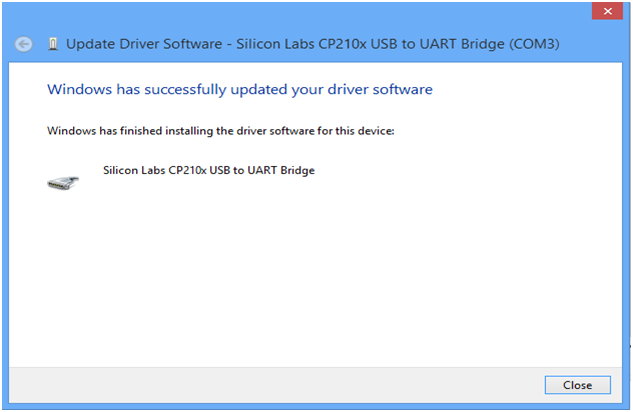
The below screen shot shows the successful installation of drivers.
Step6
Now the device will be listed under PORTS with unique serial port assigned.